Short answer
Pre order apps on Shopify usually take a deposit only through Shopify Payments, which most Indian stores do not use. The way round it is a fixed booking amount paid at your normal checkout, with the balance invoiced when stock arrives. For a camera retailer on Cashfree, we set up a ₹999 booking on 107 pre order products, live and tested the same day.
₹3,800 gone every time someone changed their mind
An Indian camera and lens retailer on Shopify sells a lot of gear before it lands: new camera bodies, lenses, cinema kit. It had 107 products on pre order, priced up to ₹1,90,000, and the checkout took the full price. Its only payment gateway was Cashfree.
Stock can take weeks, and people change their minds. Every cancelled pre order meant refunding the full amount, and the gateway keeps its fee. At 2%, one cancelled ₹1,89,999 camera cost the store about ₹3,800, for a sale that never happened.
The owner's ask was simple: take ₹999 to book, collect the rest when the stock arrives. A cancellation should cost the fee on ₹999, not on the camera.
The setting that said no
The store had moved its pre orders to a newer pre order app that very morning. Its deposit setting was right there, with one line under it: only works with Shopify Payments. Most Indian stores, this one included, run Razorpay, Cashfree or PayU instead.
Switching off the app's selling plan did not help. It removed partial payment altogether. On Cashfree, a deposit through the app was simply not possible.
Three ways out, and the one the owner picked
Wait for the app to support other gateways. The deposit depends on charging the card again later, which needs Shopify Payments. Not changing soon.
Take the ₹999 on a payment link outside Shopify. Quick, but the money would not be tied to a product, the customer would not be in Shopify, and someone would match payments to items by hand.
Take the ₹999 inside Shopify, at the normal checkout. The order, the customer and the exact item stay in Shopify, so pre orders are tracked like any other order. The owner picked this one, for exactly that reason.
One working day, 107 products
We switched the ₹999 booking on for all 107 pre order products in one pass, with no change to the gateway. Everything was built on a copy of the live theme and styled to match the store. None of the theme's own files were touched, so a theme update will not undo it, and the old theme stayed one click away.
Before the owner said yes, we tested it on desktop, on an iPhone sized screen and through a real checkout. It went live the same day.
We are not publishing the exact method. It is what clients pay for. If your store has the same problem, the service page linked below is where to start.
- BlockedDeposit setting: Shopify Payments only
- Three optionsOwner picks booking inside Shopify
- Built on a copyLive theme untouched
- TestedDesktop, iPhone, real checkout
- Live107 products, same day
What the shopper sees now
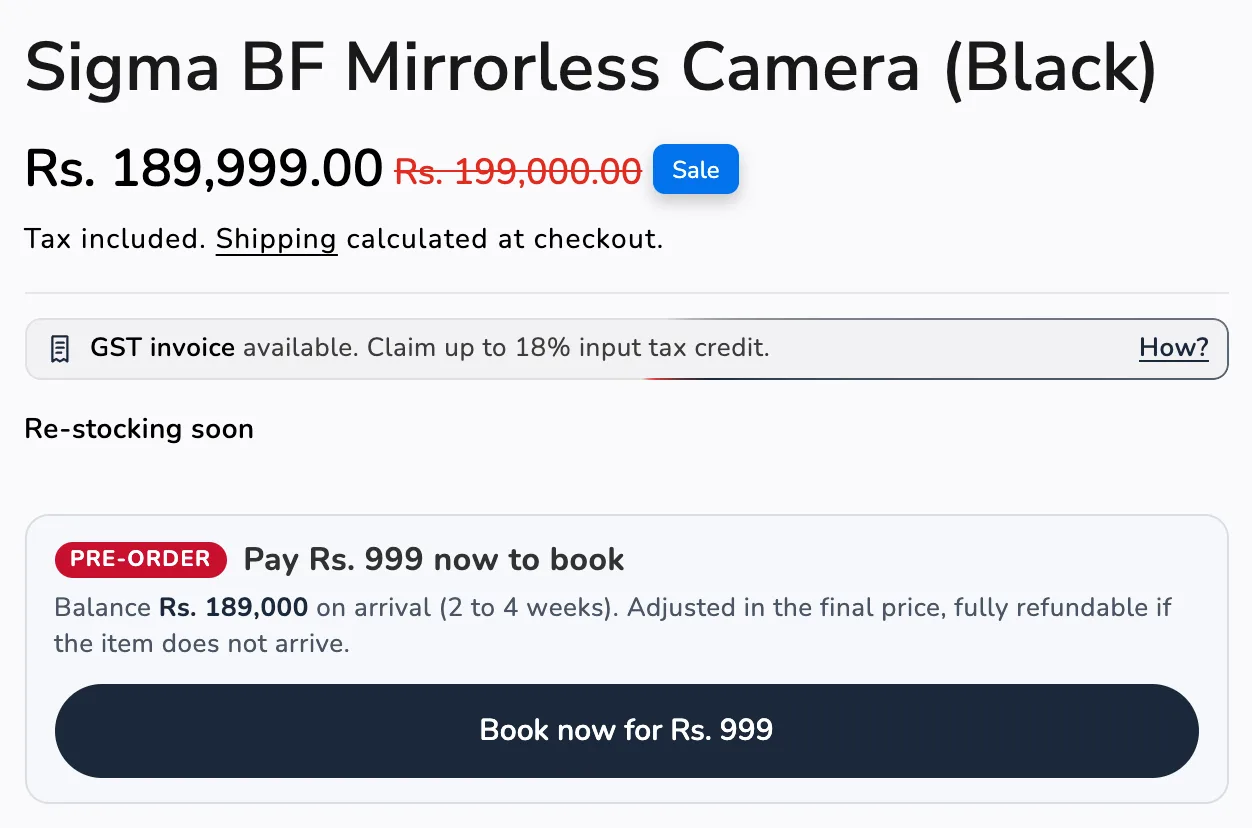
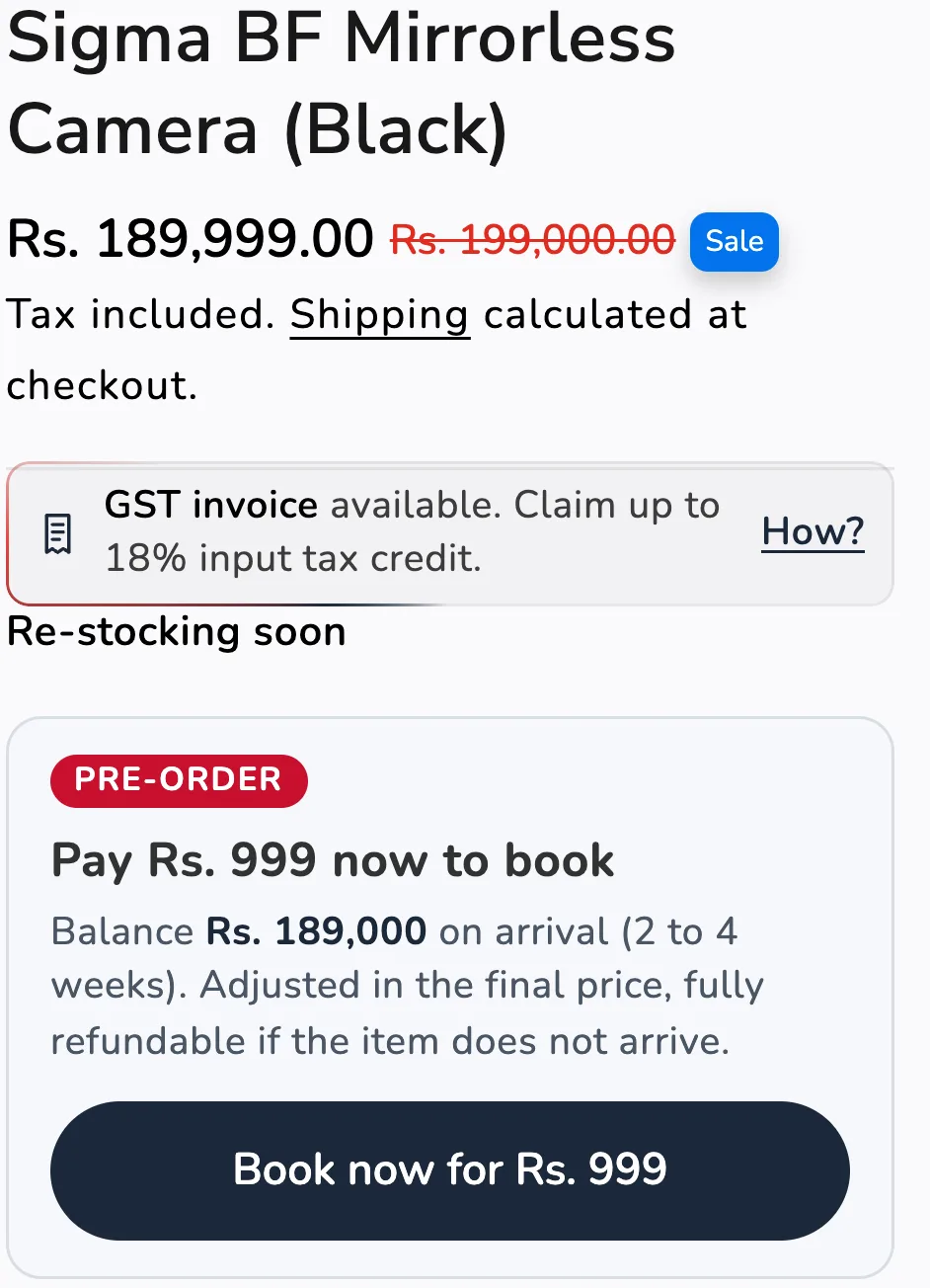
On an out of stock pre order item, the buy button is replaced by one clear box: Pay Rs. 999 now to book, the balance due on arrival, the 2 to 4 week wait, and the promise that the booking is adjusted in the final price and fully refunded if the item never arrives.
When a variant comes back in stock, the normal add to cart returns by itself. Nobody has to remember to switch anything off.
What lands in Shopify
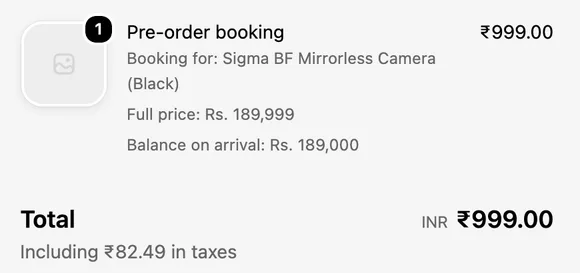
The checkout charges ₹999 through Cashfree, and the order line carries the item booked, its full price and the balance. Every pre order sits in one list in Shopify, with everything the team needs written on it. The booking never shows up in the store's search, collections or ad feeds.
The result
A customer booking a ₹1,89,999 camera now pays ₹999 and sees a balance of ₹1,89,000 before paying. If they cancel, the store refunds ₹999 and loses about ₹20 in fees instead of about ₹3,800.
When the stock arrives, the team sends a Shopify invoice for the balance with ₹999 taken off, the customer pays through Cashfree, and that order ships. It takes about two minutes.
From the blocked setting to a live, tested booking: one working day, and no new gateway.
What it does not do
It does not charge the balance automatically. Charging a saved card later needs Shopify Payments, so on Razorpay, Cashfree or PayU the balance goes out as an invoice link.
It means two orders per customer, the booking and the balance, which the team links with a note. Stock is not held for the booking; the team works from the list of booking orders.
Signs your store needs the same
You sell items before they land, your pre order app's deposit setting says Shopify Payments only, and your checkout runs on Razorpay, Cashfree, PayU or CCAvenue. Or you take full payment on pre orders and lose gateway fees every time someone cancels.
Any one of these is worth a look. All of them together usually means a booking amount pays for itself on the first cancellation.